Next.js 16 Static Exports: Complete Guide to Zero-Runtime Deployment
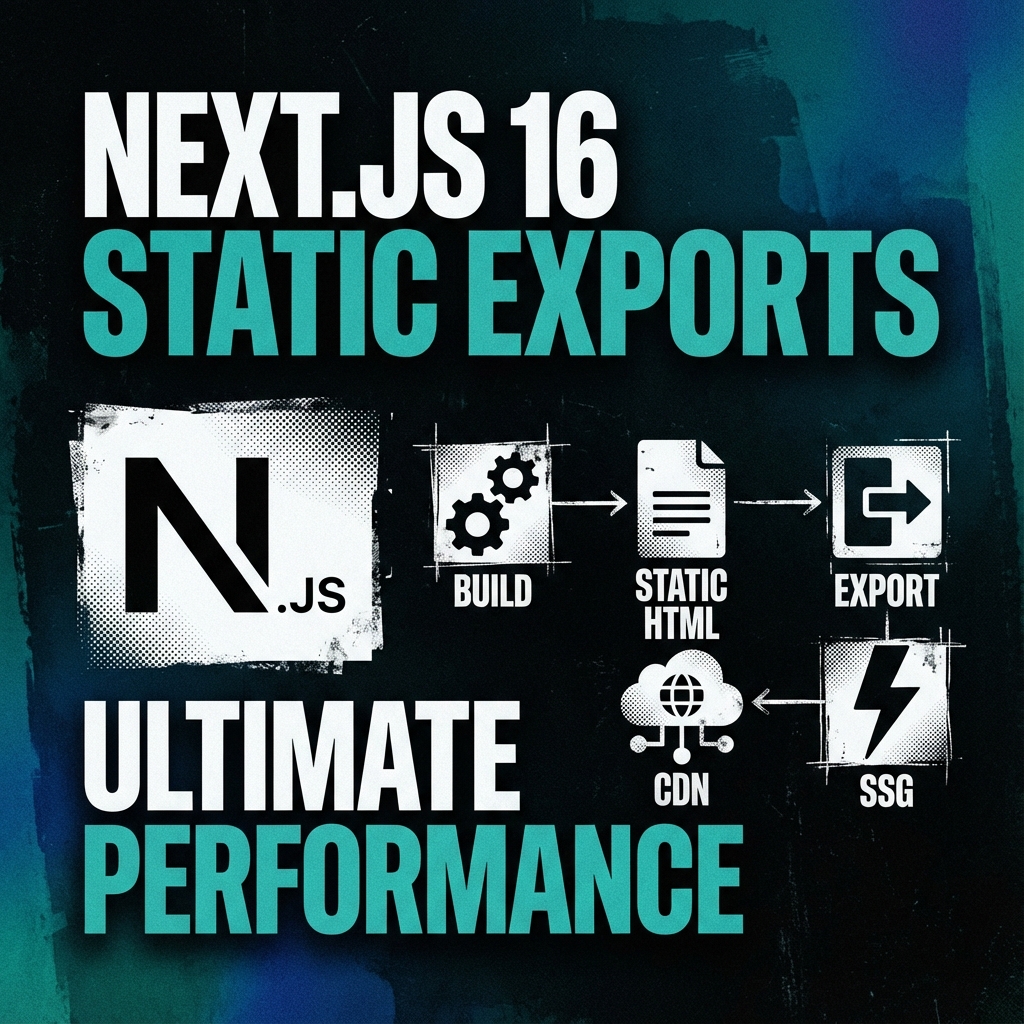
Next.js 16 Static Exports: Complete Guide to Zero-Runtime Deployment
Next.js 16 introduced powerful static export capabilities that allow developers to build applications with zero runtime dependencies. This comprehensive guide will walk you through implementing static exports in your Next.js projects, covering everything from configuration to deployment strategies.
What are Next.js Static Exports?
Static exports in Next.js transform your application into a collection of pre-rendered HTML, CSS, and JavaScript files that can be served by any static hosting platform. When you configure `output: 'export'` in your `next.config.mjs`, Next.js switches from server-based rendering to static site generation during the build process.
The resulting build contains:
- Pre-rendered HTML files for all pages
- Optimized CSS with automatic extraction
- JavaScript limited to client-side interactivity
- No server-side runtime dependencies
This approach differs significantly from traditional SSR (Server-Side Rendering) and SSG (Static Site Generation) in previous Next.js versions, as it eliminates the need for Node.js runtime entirely in production.
Benefits of Static Exports
Performance Optimizations
Static exports deliver exceptional performance benefits:
1. **Instant Load Times**: Pre-rendered HTML means first contentful paint happens almost instantly
2. **Zero JavaScript Runtime**: No server startup time or Node.js dependencies
3. **CDN-Friendly**: Static assets can be cached indefinitely at edge locations
4. **Reduced Complexity**: Fewer moving parts in your deployment pipeline
Cost Efficiency
Hosting static sites is remarkably cost-effective:
Simplicity and Security
- **Free Tiers**: Most providers offer generous free tiers for static sites
- **Reduced Overhead**: No server maintenance or scaling concerns
- **Pay-What-You-Use**: Only pay for bandwidth and storage
- **Zero Warm-up Time**: No cold start delays common with serverless functions
Simplify your architecture while enhancing security:
When to Use Static Exports vs SSR/ISR
Choose Static Exports When:
- **Attack Surface**: No exposed server endpoints to secure
- **Dependency Management**: Fewer runtime dependencies to manage
- **Deployment Freedom**: Deploy anywhere static files can be served
- **Version Control**: Built artifact versioning with your codebase
✅ **Marketing Websites**: Brochure sites, landing pages, and content-heavy sites
✅ **Documentation**: Technical documentation with versioning support
✅ **Blogs**: Content-focused blogs with minimal dynamic features
✅ **Portfolio Sites**: Personal and professional portfolio showcases
✅ **E-commerce Catalogs**: Product listings with static content
✅ **JAMstack Applications**: Sites leveraging serverless functions for dynamic features
Prefer SSR or ISR When:
❌ **Real-time Data**: Applications requiring frequent data updates
❌ **User Authentication**: Sites needing session management across pages
❌ **Complex Forms**: Multi-step forms with state persistence
❌ **Dynamic Content**: Content that changes based on user interaction
❌ **API Dependencies**: Heavy reliance on server-side API routes
Configuration: Setting Up Static Exports
Basic Configuration
Start with the essential configuration in your `next.config.mjs`:
// next.config.mjs
/** @type {import('next').NextConfig} */
const nextConfig = {
  output: 'export',          // Enable static exports
  trailingSlash: false,      // Handle URL trailing slashes
  distDir: 'out',            // Output directory
  images: {
    unoptimized: true,      // Disable image optimization for static exports
  },
}

module.exports = nextConfig
Advanced Configuration
For more complex applications, consider these advanced options:
// next.config.mjs
const nextConfig = {
  output: 'export',
  trailingSlash: false,
  distDir: 'out',

  // Image optimization configuration
  images: {
    unoptimized: true,
    deviceSizes: [640, 750, 828, 1080, 1200, 1920, 2048, 3840],
    imageSizes: [16, 32, 48, 64, 96, 128, 256, 384],
  },

  // Experimental features
  experimental: {
    serverComponentsExternalPackages: ['some-package'],
  },

  // Environment variables available during build time
  env: {
    CUSTOM_KEY: process.env.CUSTOM_KEY,
  },

  // Ignore TypeScript errors for faster builds
  typescript: {
    ignoreBuildErrors: true,
  },
}
Limitations and Restrictions
When using static exports, be aware of these important limitations:
No API Routes
Static exports don't support API routes:
// ❌ This won't work with static exports
// pages/api/users.js
export default function handler(req, res) {
  res.json({ users: [] })
}
**Solution**: Use external services or serverless functions for API endpoints.
No getServerSideProps
Server-side data fetching is not available:
// ❌ getServerSideProps is not supported
export async function getServerSideProps(context) {
  const data = await fetchData()
  return { props: { data } }
}
**Solution**: Use `generateStaticParams` for static data or fetch data on the client side.
No Dynamic Rendering
All content must be pre-rendered at build time:
// ❌ Dynamic rendering won't work
export default function DynamicPage() {
  const [data, setData] = useState(null)

  useEffect(() => {
    // This runs on client side only
    fetch('/api/data').then(setData)
  }, [])

  return <div>{data}</div>
}
**Solution**: Use client-side data fetching with loading states.
Limited Environment Variables
Only environment variables prefixed with `NEXT_PUBLIC_` are available:
// ✅ Available during build and client-side
process.env.NEXT_PUBLIC_API_URL

// ❌ Not available during build
process.env.API_SECRET_KEY
Image Optimization with Static Exports
Handling Images in Static Mode
When using static exports, you need to handle images differently:
// Optimized images work during build
import Image from 'next/image'

function ProductCard({ product }) {
  return (
    <div>
      <Image
        src={product.image}
        alt={product.name}
        width={300}
        height={300}
        // Required: ALL Image components must have unoptimized in static exports
        unoptimized={true}
      />
      <h3>{product.name}</h3>
    </div>
  )
}
Alternative Image Handling
For better control in static exports:
import { useState, useEffect } from 'react'
import Image from 'next/image'

function OptimizedImage({ src, alt, ...props }) {
  const [shouldLoad, setShouldLoad] = useState(false)

  useEffect(() => {
    // Load images after initial render
    setShouldLoad(true)
  }, [])

  if (!shouldLoad) {
    return <div className="placeholder">{alt}</div>
  }

  return (
    <Image
      src={src}
      alt={alt}
      {...props}
      unoptimized={true} // Required for static exports
    />
  )
}
Dynamic Routes with generateStaticParams
Basic Dynamic Routes
For static pages with dynamic segments:
// app/posts/[slug]/page.tsx
async function getPosts() {
  const res = await fetch('https://api.example.com/posts')
  return res.json()
}

export default async function PostPage({ params }: { params: { slug: string } }) {
  const allPosts = await getPosts()
  const post = allPosts.find((p: any) => p.slug === params.slug)

  return (
    <article>
      <h1>{post.title}</h1>
      <p>{post.content}</p>
    </article>
  )
}

// Generate static params at build time
export async function generateStaticParams() {
  const posts = await getPosts()
  return posts.map((post: any) => ({
    slug: post.slug,
  }))
}
Dynamic Fallback Handling
Handle cases where you don't have all paths at build time:
export async function generateStaticParams() {
  const posts = await getFeaturedPosts() // Get only featured posts

  return posts.map((post) => ({
    slug: post.slug,
  }))
}

// In page component
export default async function PostPage({ params }) {
  try {
    const post = await getPost(params.slug)

    return (
      <article>
        <h1>{post.title}</h1>
        <p>{post.content}</p>
      </article>
    )
  } catch {
    // Handle 404 case
    notFound()
  }
}
Building and Deployment
Build Process
The static export build process is straightforward:
# Install dependencies
pnpm install

# Build static site
pnpm run build

# The build output will be in the 'out' directory
# Structure:
# out/
# ├── index.html
# ├── about/
# │   └── index.html
# ├── assets/
# │   ├── main.css
# │   └── chunk.js
# └── favicon.ico
Custom Build Scripts
For Teknopulse-like architecture, you might need custom scripts:
// package.json
{
  "scripts": {
    "build": "next build",
    "postbuild": "cp .next/routes-manifest.json out/",
    "start": "next start",
    "dev": "next dev"
  }
}
// postbuild.js (alternative approach)
import fs from 'fs'
import path from 'path'

const copyRoutesManifest = () => {
  try {
    const sourcePath = path.join(process.cwd(), '.next/routes-manifest.json')
    const destPath = path.join(process.cwd(), 'out/routes-manifest.json')

    if (fs.existsSync(sourcePath)) {
      fs.copyFileSync(sourcePath, destPath)
      console.log('✅ routes-manifest.json copied successfully')
    }
  } catch (error) {
    console.error('❌ Failed to copy routes-manifest.json:', error.message)
  }
}

copyRoutesManifest()
Static Hosting Options
Hosting Comparison
Here's a comparison of popular static hosting platforms:
| Platform | Free Tier | Custom Domain | HTTPS | Build Hooks | CI/CD |
|----------|-----------|---------------|-------|-------------|-------|
| Vercel | 100GB bandwidth | ✅ | ✅ | ✅ | ✅ |
| Netlify | 100GB bandwidth | ✅ | ✅ | ✅ | ✅ |
| GitHub Pages | 100GB bandwidth | ✅ | ✅ | Limited | Limited |
| Cloudflare Pages | 100GB bandwidth | ✅ | ✅ | ✅ | ✅ |
| AWS S3 + CloudFront | 5GB storage | ✅ | ✅ | Manual | Manual |
Vercel Deployment
Vercel offers seamless static export deployment:
// vercel.json
{
  "version": 2,
  "builds": [
    {
      "src": "package.json",
      "use": "@vercel/next"
    }
  ],
  "routes": [
    {
      "src": "/(.*)",
      "dest": "/$1"
    }
  ],
  "env": {
    "NEXT_PUBLIC_API_URL": "https://api.example.com"
  }
}
Netlify Configuration
# netlify.toml
[build]
  command = "pnpm build"
  publish = "out"

[build.environment]
  NODE_VERSION = "20"

[[plugins]]
  package = "@netlify/plugin-nextjs"

[[redirects]]
  from = "/*"
  to = "/index.html"
  status = 200
Real-World Example: Teknopulse Architecture
Teknopulse Static Export Configuration
Teknopulse.id uses static exports for optimal performance:
// next.config.mjs
import createMDX from '@next/mdx'

const nextConfig = {
  output: 'export',
  trailingSlash: false,
  distDir: 'out',
  images: {
    unoptimized: true,
  },
  pageExtensions: ['js', 'jsx', 'mdx', 'ts', 'tsx'],
  typescript: {
    ignoreBuildErrors: true,
  },
}

const withMDX = createMDX({})
export default withMDX(nextConfig)
Content Management in Static Mode
Teknopulse manages content through JSON files:
// lib/blog-posts.json
export const blogPosts = [
  {
    id: "1",
    slug: "next-js-static-exports",
    title: "Next.js 16 Static Exports",
    excerpt: "Complete guide to zero-runtime deployment",
    author: "Teknopulse",
    date: "2025-01-04",
    content: "# Blog content...",
    tags: ["Next.js", "Static", "Tutorial"],
    category: "Tutorial"
  }
]
// app/blog/[slug]/page.tsx
async function getPostBySlug(slug: string) {
  const post = blogPosts.find(p => p.slug === slug)
  if (!post) notFound()
  return post
}

export default async function BlogPostPage({
  params
}: {
  params: { slug: string }
}) {
  const post = await getPostBySlug(params.slug)

  return (
    <article>
      <h1>{post.title}</h1>
      <div className="meta">
        <span>{post.date}</span>
        <span>{post.author}</span>
      </div>
      <div className="content">
        {/* MDX content would go here */}
        {post.content}
      </div>
    </article>
  )
}

export async function generateStaticParams() {
  return blogPosts.map(post => ({
    slug: post.slug,
  }))
}
Migration from SSR to Static
Step-by-Step Migration Guide
1. Start with Static Pages
Begin with pages that don't require dynamic data:
// Before (SSR)
export async function getServerSideProps() {
  const data = await fetchExternalData()
  return { props: { data } }
}

export default function Page({ data }) {
  return <div>{data.content}</div>
}

// After (Static)
export default function Page() {
  const data = useStaticData() // Load from JSON file

  return <div>{data.content}</div>
}
2. Handle Dynamic Routes
Convert dynamic routes to use `generateStaticParams`:
// Before
export async function getStaticPaths() {
  const posts = await getPosts()
  return {
    paths: posts.map(post => ({ params: { id: post.id } })),
    fallback: 'blocking',
  }
}

// After
export async function generateStaticParams() {
  const posts = await getPosts()
  return posts.map(post => ({ id: post.id.toString() }))
}
3. Client-Side Data Fetching
For data that needs to be fetched on the client side:
function ClientSideComponent() {
  const [data, setData] = useState(null)
  const [loading, setLoading] = useState(true)

  useEffect(() => {
    async function fetchData() {
      try {
        const response = await fetch('/api/data')
        const data = await response.json()
        setData(data)
      } catch (error) {
        console.error('Error fetching data:', error)
      } finally {
        setLoading(false)
      }
    }

    fetchData()
  }, [])

  if (loading) return <div>Loading...</div>
  if (!data) return <div>No data available</div>

  return <div>{data.content}</div>
}
4. Implement Error Boundaries
Add error handling for static builds:
// app/error.tsx
'use client'

export default function Error({
  error,
  reset,
}: {
  error: Error & { digest?: string }
  reset: () => void
}) {
  return (
    <div className="error-boundary">
      <h2>Something went wrong!</h2>
      <p>{error.message}</p>
      <button onClick={() => reset()}>Try again</button>
    </div>
  )
}
Testing the Migration
Test each phase thoroughly:
// __tests__/static-migration.test.ts
import { render, screen } from '@testing-library/react'
import { StaticPage } from '@/app/static-page'

describe('Static Page Migration', () => {
  it('renders static content correctly', () => {
    render(<StaticPage />)

    expect(screen.getByText('Static Content')).toBeInTheDocument()
    expect(screen.getByTestId('timestamp')).toBeInTheDocument()
  })

  it('handles loading state', () => {
    render(<StaticPage />)

    expect(screen.getByText('Loading...')).toBeInTheDocument()
  })
})
Key Takeaways
Next.js 16 static exports provide a powerful way to build fast, secure, and cost-effective web applications:
1. **Zero Runtime**: Eliminate server-side dependencies for simpler deployments
2. **Performance Gains**: Deliver pre-rendered content instantly to users
3. **Cost Efficiency**: Take advantage of free static hosting tiers
4. **Deployment Freedom**: Deploy to any static hosting platform
5. **Security Benefits**: Reduced attack surface with no exposed servers
Teknopulse Implementation
At Teknopulse, we use static exports to deliver:
Frequently Asked Questions
Q: Can I use middleware with static exports?
- Blazing-fast portfolio site performance
- Reliable documentation hosting
- Cost-effective blog infrastructure
- Simplified deployment pipeline
A: Partially. Middleware can be used for redirects and rewrites, but it won't have access to runtime features. The middleware will run during build time for static generation.
// middleware.ts
export function middleware() {
  // This works for redirects
  if (request.nextUrl.pathname === '/old-path') {
    return NextResponse.redirect(new URL('/new-path', request.url))
  }
  return NextResponse.next()
}
Q: How do I handle authentication in static sites?
A: Use client-side authentication with JWT tokens or OAuth. Store tokens in localStorage or cookies and validate them on the client side.
'use client'

import { useState, useEffect } from 'react'

function AuthComponent() {
  const [user, setUser] = useState(null)

  useEffect(() => {
    const token = localStorage.getItem('auth_token')
    if (token) {
      // Validate token and fetch user
      fetchUser(token).then(setUser)
    }
  }, [])

  if (!user) {
    return <LoginForm onLogin={setUser} />
  }

  return <Dashboard user={user} />
}
Q: What about forms in static exports?
A: Forms work perfectly in static exports. Handle submissions with client-side JavaScript or serverless functions.
'use client'

export function ContactForm() {
  const [formData, setFormData] = useState({
    name: '',
    email: '',
    message: ''
  })

  const handleSubmit = async (e: React.FormEvent) => {
    e.preventDefault()

    // Send to serverless function
    const response = await fetch('/api/contact', {
      method: 'POST',
      headers: { 'Content-Type': 'application/json' },
      body: JSON.stringify(formData)
    })

    if (response.ok) {
      alert('Message sent successfully!')
      setFormData({ name: '', email: '', message: '' })
    }
  }

  return (
    <form onSubmit={handleSubmit}>
      {/* Form fields */}
    </form>
  )
}
Q: How do I handle analytics in static sites?
A: Use client-side analytics providers that don't require server-side rendering.
// components/Analytics.tsx
'use client'

import { useEffect } from 'react'

export function Analytics() {
  useEffect(() => {
    // Initialize analytics
    if (typeof window !== 'undefined') {
      // Google Analytics
      window.gtag('config', 'GA_TRACKING_ID')

      // Plausible Analytics
      window.plausible = window.plausible || function() {
        (window.plausible.q = window.plausible.q || []).push(arguments)
      }
      window.plausible('pageview')
    }
  }, [])

  return null
}
Q: Can I use server actions with static exports?
A: **No**, server actions are not supported with static exports (`output: 'export'`). Server actions require a Node.js server runtime, which static exports explicitly eliminate.
**Alternative**: Use external API endpoints or serverless functions:
// Component using external API
'use client'

import { useState } from 'react'

export function PostForm() {
  const [isSubmitting, setIsSubmitting] = useState(false)

  const handleSubmit = async (formData: FormData) => {
    setIsSubmitting(true)
    try {
      // Send to external API or serverless function
      const response = await fetch('/api/create-post', {
        method: 'POST',
        body: JSON.stringify(Object.fromEntries(formData)),
      })

      if (response.ok) {
        alert('Post created successfully!')
      }
    } finally {
      setIsSubmitting(false)
    }
  }

  return (
    <form action={handleSubmit}>
      {/* Form fields */}
      <button type="submit" disabled={isSubmitting}>
        {isSubmitting ? 'Creating...' : 'Create Post'}
      </button>
    </form>
  )
}
Q: How do I handle internationalization (i18n) with static exports?
A: The old `i18n` config in `next.config.mjs` is deprecated in Next.js 15+. For App Router projects, use a library like `next-intl`:
pnpm install next-intl
// i18n.ts
import { notFound } from 'next/navigation'
import { getRequestConfig } from 'next-intl/server'

export const locales = ['en', 'id'] as const
export type Locale = (typeof locales)[number]

export default getRequestConfig(async ({ locale }) => {
  if (!locales.includes(locale as Locale)) notFound()

  return {
    messages: (await import(`../../messages/${locale}.json`)).default
  }
})
// app/[locale]/layout.tsx
import { NextIntlClientProvider } from 'next-intl'
import { getMessages } from 'next-intl/server'
import { locales } from '@/i18n'

export function generateStaticParams() {
  return locales.map((locale) => ({ locale }))
}

export default async function LocaleLayout({
  children,
  params: { locale }
}: {
  children: React.ReactNode
  params: { locale: string }
}) {
  const messages = await getMessages()

  return (
    <html lang={locale}>
      <body>
        <NextIntlClientProvider messages={messages}>
          {children}
        </NextIntlClientProvider>
      </body>
    </html>
  )
}
By leveraging Next.js 16 static exports, you can build modern web applications that are both performant and maintainable, with the flexibility to deploy anywhere static content can be served.
To continue learning about Next.js 16, check out our guide on [Next.js 16 App Router Migration](/blog/next-js-16-app-router-migration-guide) and explore [Performance Optimization Strategies](/blog/next-js-16-performance-optimization) for your applications.
---
*This guide covers the essential aspects of Next.js 16 static exports. Remember to test thoroughly in development before deploying to production, and consider your specific use case requirements when choosing between static exports and server-side rendering.*
Related Articles
Web Performance Optimization: A Practical Guide
Essential techniques for building fast web applications: code splitting, image optimization, and caching strategies.
FrameworkUnderstanding React Server Components in Next.js 15
A deep dive into how Server Components work, when to use them, and common patterns.
FrameworkReact Server Actions: Complete Guide with Real-World Examples
Master React Server Actions in Next.js 16. Learn form handling, data mutations, validation, error handling, and security best practices with practical examples.